A draft is editable and private. Publishing creates the version eligible to appear on the selected website. Installing the website snippet is a separate task. Saving an edit to a draft does not silently replace the published campaign.
Back to help center
Targeting & publishing
Review, publish, update and pause a popup
Understand private drafts, checks and the version visitors actually see.
2 min read Reviewed Nov 10, 2026
01 Before you start
02 Follow these steps
- Finish design checks on every screen, then choose Continue to targeting.
- Set website, pages, devices, triggers, frequency and schedule. Save targeting and open Review.
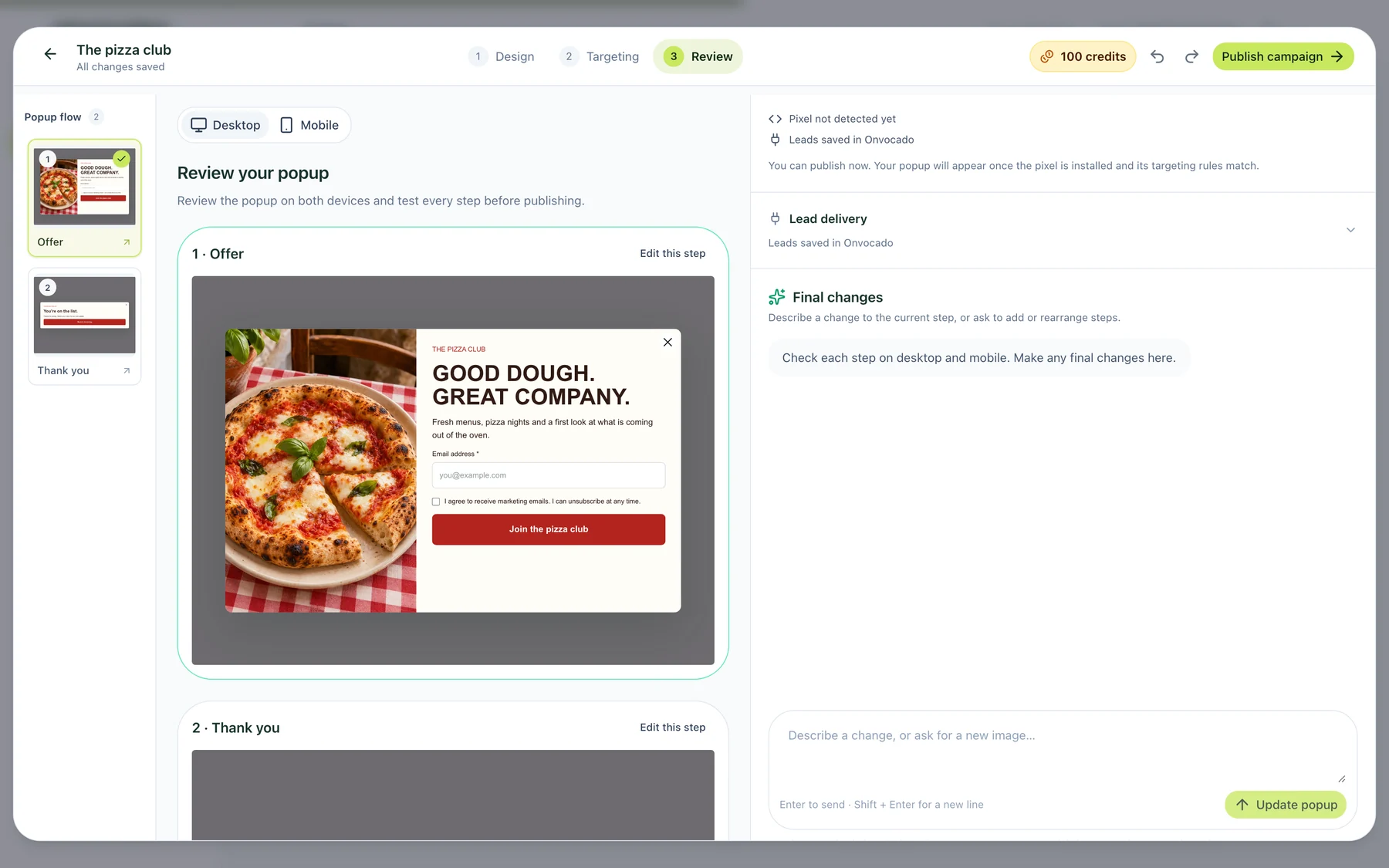
- Navigate the Popup flow on desktop and mobile. Test empty required fields and a valid preview submission. Review any lead destinations separately.
- Choose Check changes when shown. Resolve the actual validation errors. Any later design or campaign change requires a fresh check.
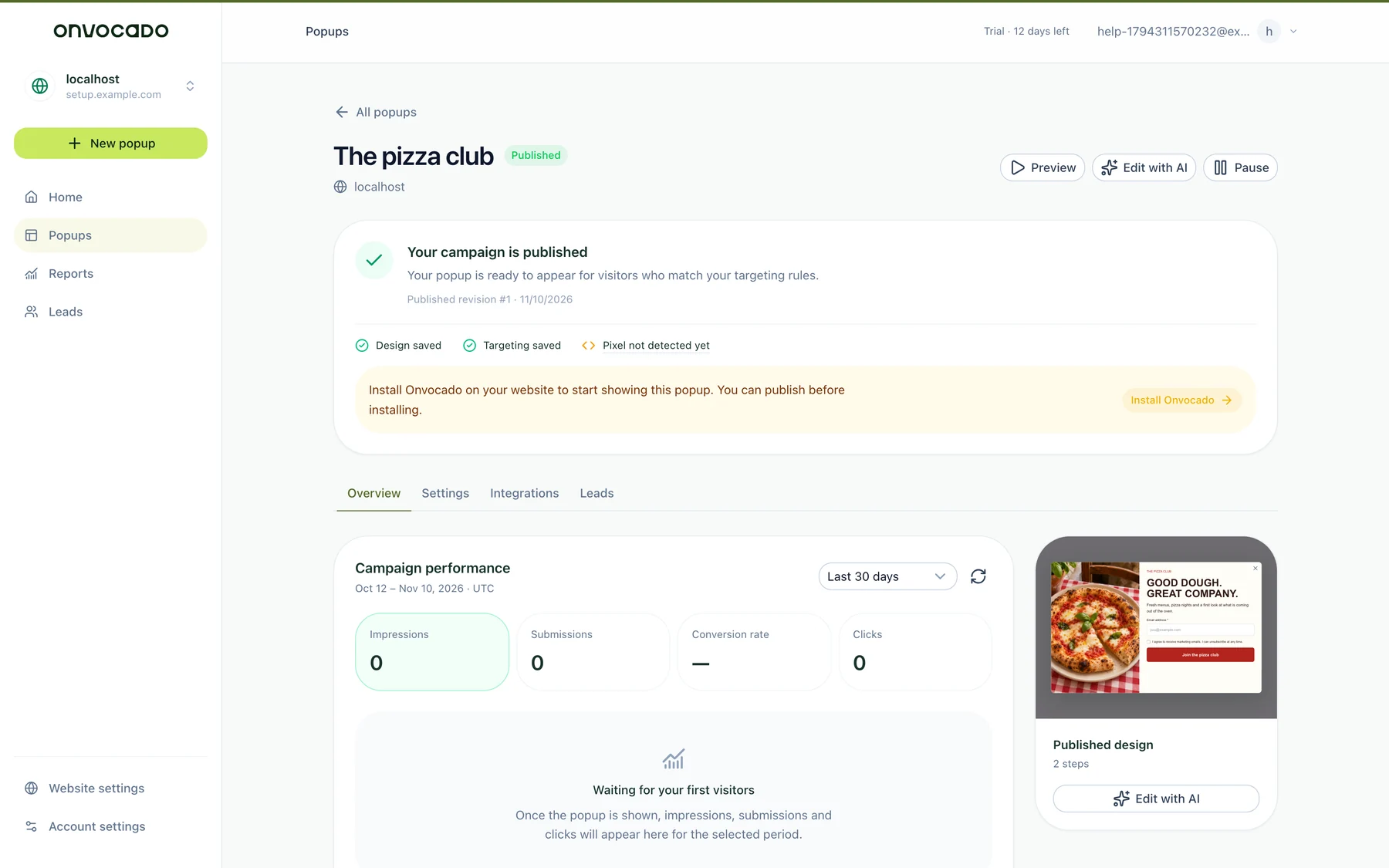
- Select Publish campaign. Confirm the published status, then test on the installed website.
03 Updating or pausing
Save the revised design and targeting, check again, then publish the update. Use the campaign’s Pause action to stop new displays; closing a preview does not pause a campaign. If a campaign participates in a running A/B test, stop the test before changing its publication. Published revisions keep the design and settings that were reviewed together.
04 Check the result
Visit an eligible public page in a clean session, complete a clearly marked test and check Leads. The expected confirmation does not prove external delivery. See installation, missing popups and lead delivery.
05 What the current app looks like
Was this article helpful?
Related articles
Choose when and how often your popup appears
Set triggers, display limits and a schedule that match your campaign.
Read article
Set country and location rules
Use the location controls available in your campaign and test the actual result.
Read article
Launch your first Onvocado popup
Choose a template, review it, set targeting and verify a real signup.
Read article
Didn't find what you need?
Our team is one message away. Expect a reply within a business day.
Contact support