Prepare two complete campaigns for the same exact website, with reviewed designs and targeting. Change one meaningful element when possible so the result is interpretable. You need editing access and A/B testing access in your workspace. Starting a test publishes its participating campaigns and freezes their tested revisions and traffic split.
Back to help center
Reports & A/B testing
Run an A/B test for popup campaigns
Compare two campaigns on the same website and choose how to stop the test.
2 min read Reviewed Nov 10, 2026
01 Before you start
02 Follow these steps
- Open A/B tests from the popup area.
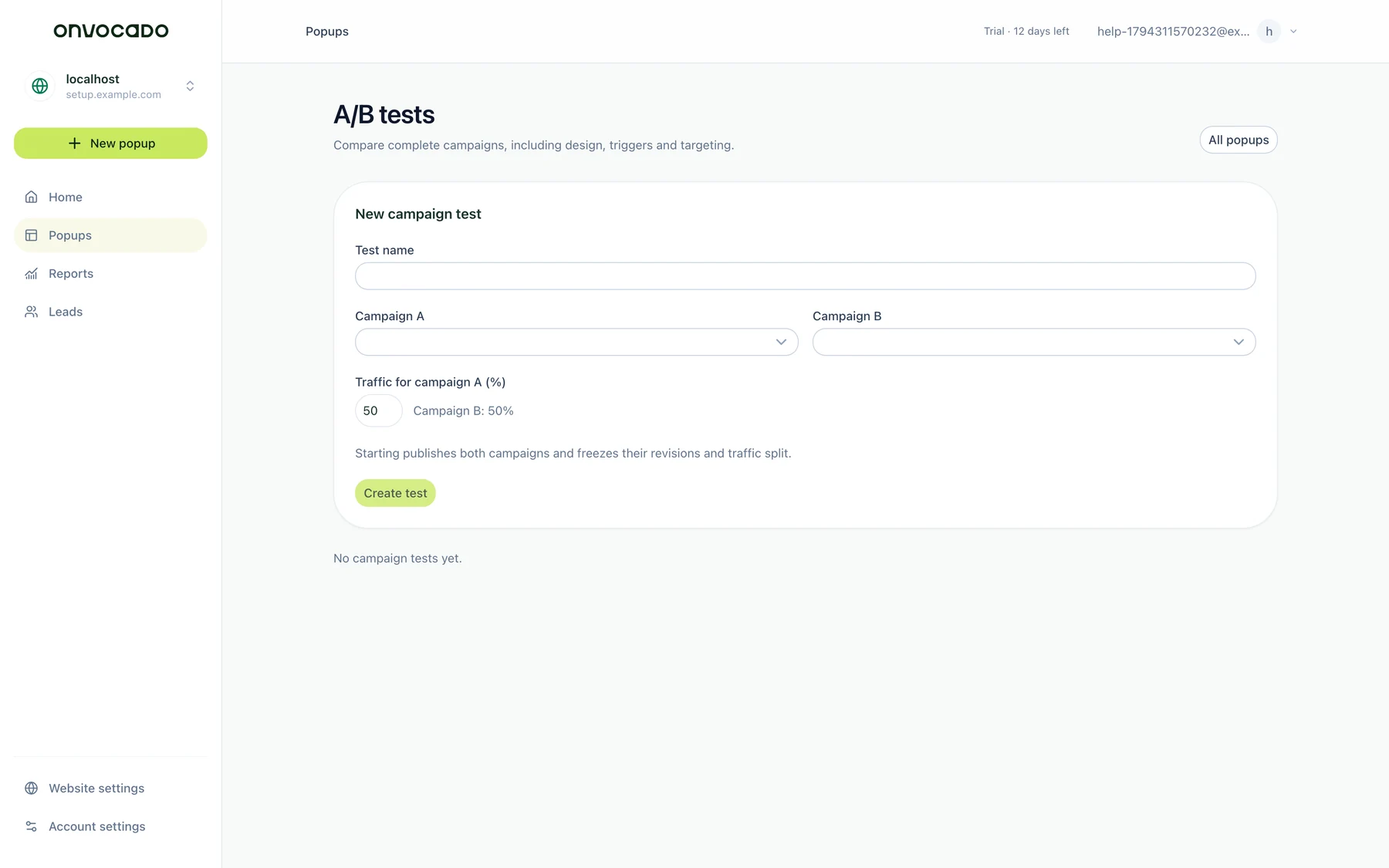
- Enter a test name, choose Campaign A and Campaign B, then set the traffic percentage for A. B receives the remaining share.
- Select Create test and check the selected campaigns.
- Choose Start and publish only when both versions are ready for visitors.
- Review assigned units, shown units and submitted units. Keep Consented visitor and Page only results separate.
03 Interpret and stop the test
The experiment’s submission rate uses assigned units, including assignments whose trigger never fired. It is not the same denominator as the Reports page’s impression-based conversion rate. Results do not claim statistical significance or automatically select a winner. Use Stop test to pause all participating campaigns, or Keep [campaign] to stop the test and leave that tested campaign published. Stop the run before changing participating publications.
04 Check the result
Verify both campaign names and traffic allocation before starting. After stopping, inspect each campaign’s actual published/paused status. Compare like-for-like measurement units and enough representative traffic for your own decision. See Reports and publication states.
05 What the current app looks like
Was this article helpful?
Related articles
Read popup reports and export results
Understand impressions, conversions, submissions, clicks and date ranges.
Read article
Launch your first Onvocado popup
Choose a template, review it, set targeting and verify a real signup.
Read article
Use a template: keep its design or customize with AI
Understand the two template choices and what happens after sign-in.
Read article
Didn't find what you need?
Our team is one message away. Expect a reply within a business day.
Contact support